Garment development platform
From garment idea to technical development, in one workflow.
MakeFit turns a brief into one connected sample record: the specification, the size chart, the construction, AI design concepts and a 3D sample you can review on a fit model.
Free to start. Already have an account? Sign in
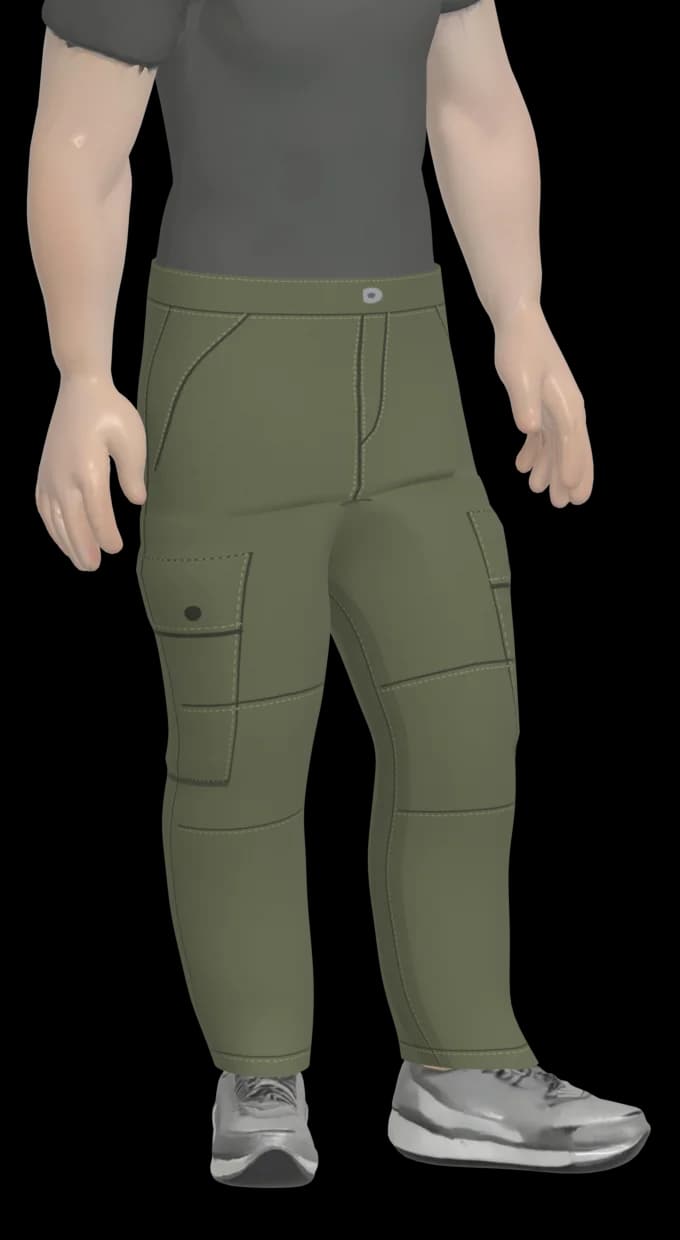
Waist84 cm
Thigh64 cm
Leg opening40 cm
- Garment
- Cargo
- Wearer
- Men
- Fabric
- Cotton twill
- Size run
- S to XL
An example sample. The schematic and the 3D garment are produced by the product itself; the figures are illustrative.
How it works
One sample. One connected workflow.
Every step reads from the same sample record and writes back to it, so the measurements in the size chart are the ones behind the pattern, the 3D garment and the costing.
- 01
Describe
Answer a guided interview about the garment instead of starting from a blank workspace.
Guided interview
- 02
Specify
Get a structured garment report and a graded size chart for the size run you chose.
Garment report · Size Engine
- 03
Visualise
Generate design concepts from the report, refine them and keep every version.
Concept Studio
- 04
Fit
See the garment in 3D on a fit model and read body, garment and ease side by side.
3D try-on · Fit analysis
- 05
Develop
Work from pattern pieces, seams and order of assembly, and cost the garment line by line.
Pattern · Anatomy · Costing
- 06
Review
Check the risks the report raises, then download or share the sample record.
Risk checks · PDF and Excel
The product
Technical and creative work, in the same record.
MakeFit is not an image generator and it is not a specification form. It joins the two, so a design concept and a measurement chart describe the same garment.
A guided garment report
The interview walks through the garment in eight short steps and turns your answers into a structured report. You choose from the options a garment of that type needs, or add your own.
- Garment identity, fabric, construction, measurements, care, commercial needs and references.
- Use a listed sub-type or name your own.
- Already have a size chart? Upload a PDF, PNG or JPG and review what was read before it is saved.
CARGO-001 · Men’s Utility Cargo
- Garment identity
- Fabric and material
- Construction
- Measurements and fit
- Wash and care
- Commercial
- References
- Production cost
Garment sub-type
Already have a size chart?
Upload a PDF, PNG or JPG. Review what was read before it is saved.
Or type the measurements in yourself, one size or the whole run.
CARGO-001
| On your chart | Add as | M (cm) |
|---|---|---|
| Waist (relaxed) | Waist | 84 |
| Seat | Low hip | 104 |
| Inside leg | Inseam | 81 |
| Hem width | Leg opening | 40 |
Size Engine
Load a sample and see its own graded chart: the measurements that garment category uses, across the size run you selected, in the regional size system you work in.
- Load any saved sample by its code.
- UK, US, EU, JP and CN size labels.
- Switch between centimetres, millimetres and inches without retyping anything.
- Tolerance sits beside every measurement.
CARGO-001 · Men’s Utility Cargo
UK sizing · base size M
| Measurement | S | M | L | XL | Tol ± |
|---|---|---|---|---|---|
| Waist | 79 | 84 | 89 | 94 | 1 |
| Low hip | 99 | 104 | 109 | 114 | 1 |
| Thigh | 61 | 64 | 67 | 70 | 0.5 |
| Knee | 44 | 46 | 48 | 50 | 0.5 |
| Leg opening | 38 | 40 | 42 | 44 | 0.5 |
| Inseam | 80 | 81 | 82 | 83 | 1 |
| Front rise | 27 | 28 | 29 | 30 | 0.5 |
Example figures for illustration. They are not a sizing standard.
AI Concept Studio
Design concepts are generated from the report, so they start from the garment you specified. Refine one with a written change, keep the versions, pick the one to take forward.
- Concepts stay attached to their sample.
- Every refinement is kept as a version.
- Send the selected design on to 3D.
- Generation runs within your plan’s allowance.
CARGO-001 · Men’s Utility Cargo
- Report
- Design
- Refine
- 3D
- v1From the report
- v2Lower the cargo pockets
- v3Stone colourway, matte buttonsSelected
Describe a change
Add a second button to the waistband
AI concept images are illustrative. They show design intent, not fit.
An interactive 3D sample
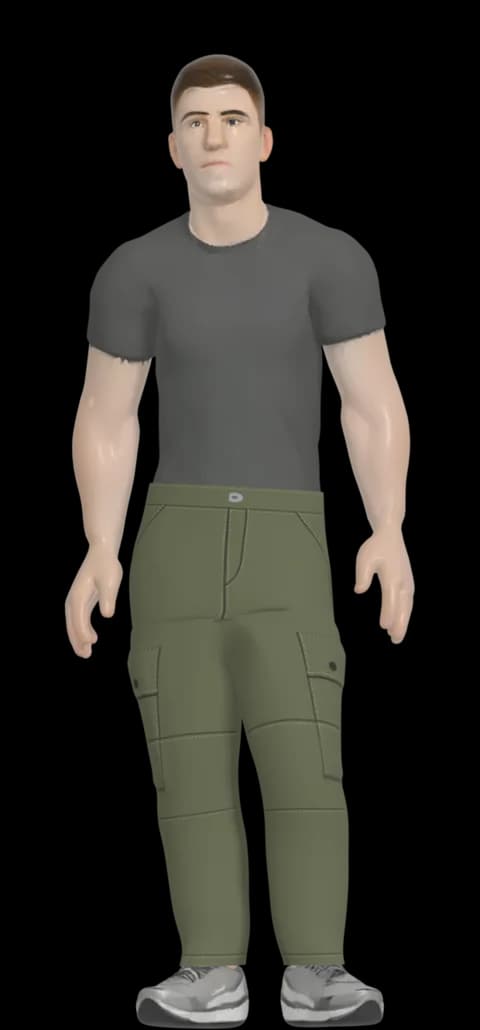
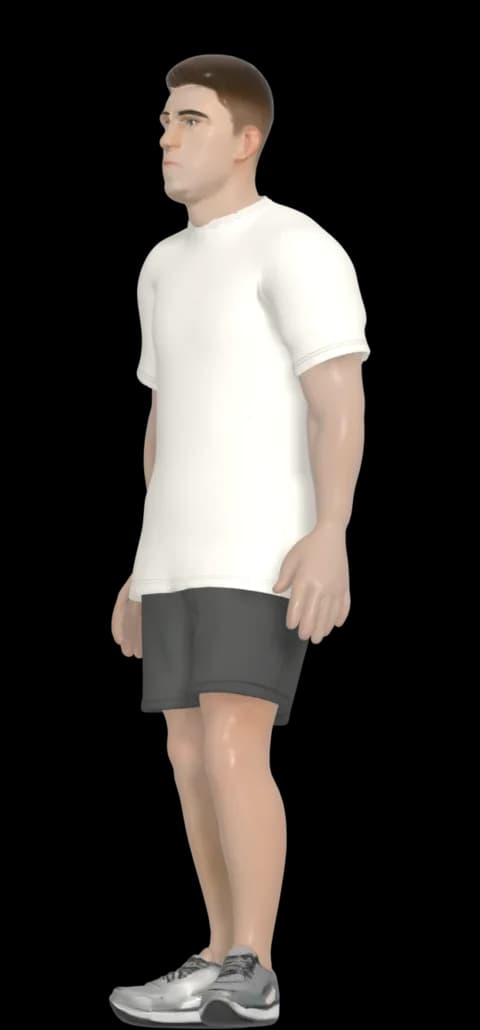
BetaThe garment is built as its own 3D object and dressed on a fit model that stays the same from sample to sample, so you compare garments, not avatars.
- Front, three-quarter, side and back views, and a walk when the garment is cleared to move.
- Built from your measurements where the garment type supports it.
- Available today for trousers and T-shirts on the adult male fit model.
Fit analysis
For each measurement, compare the fit model’s body, the garment you specified, the ease between them and the measurement the 3D garment was built to.
- Ease is simple arithmetic you can check: garment minus body.
- Shown in the units you work in.
- A comparison of measurements, not a physical pressure simulation.
CARGO-001 · Men’s Utility Cargo
| Measurement | Body | Garment | Ease | Reads as |
|---|---|---|---|---|
| Waist | 82 | 84 | +2 | Close |
| Low hip | 98 | 104 | +6 | Comfortable |
| Thigh | 57 | 64 | +7 | Comfortable |
Centimetres, on the adult male fit model. Ease is garment minus body.
Example figures for illustration.
Production costing
Build the cost of a garment from materials, trims, labour and packaging, then see it per garment and across an order quantity.
- Costing runs on the prices you or your supplier enter. MakeFit does not supply market prices.
- Grouped by category with a subtotal for each.
- Risk checks in the report point at construction and fabric issues worth resolving before sampling.
CARGO-001 · Men’s Utility Cargo
Materials
Trims
Labour
Packaging
- Per garment
- £19.10
- Order
- 300 units
- Estimate
- £5,730.00
Example figures entered by hand for this illustration.
Pattern and construction
From pieces, to seams, to a finished garment.
A garment is more than a picture of one. The pattern schematic draws the pieces from your measurements, and Garment Anatomy shows the parts, the seams that join them and the order they go together.
- Pattern pieces with seam and hem allowance, grainline and notches.
- Parts, cut quantities and seams with the stitch you chose for each.
- Order of assembly for trousers, T-shirts and shirts.
The schematic is a reference drawing. It is not a graded production pattern or a cutting file.
CARGO-001 · Men’s Utility Cargo
CARGO-001 · Men’s Utility Cargo
A placement sketch: it shows where each piece sits, not its cut shape. The construction schematic on the Pattern tab has the pieces to measure.
Parts
Seams
Seams marked – have no stitch type in this report yet. Choose them in the interview’s Construction step.
Order of assembly
The usual make-up for this kind of garment, with the stitches from this report. Your factory’s own sequence may differ.
These two panels are the product’s own components, drawing an example cargo. Hover or tap a part to find it.
3D and fit
A fit model that stays put. A garment that changes.
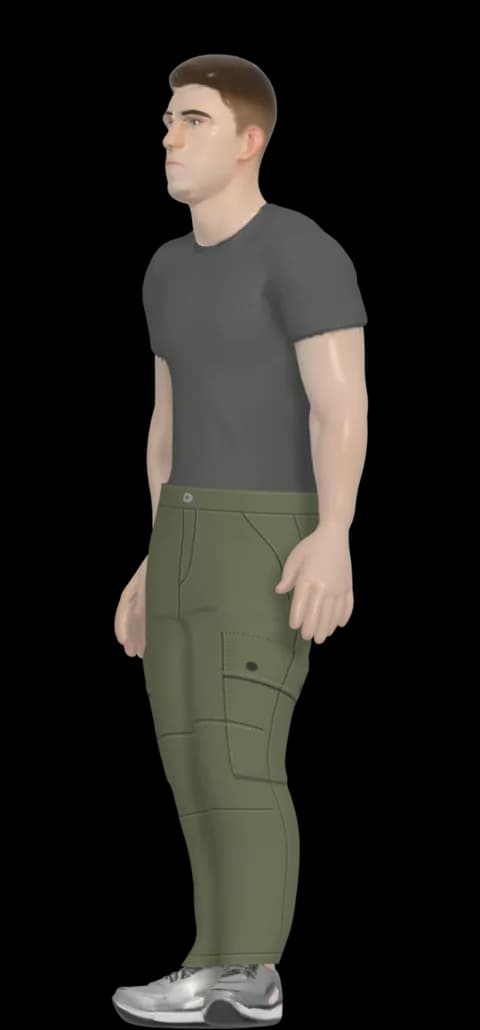
The fit model and the garment are separate. Change the design, the colour or a measurement and the same model wears the new garment, so what you are comparing is the garment.
- Front, three-quarter, side and back, plus a walk for garments cleared to move.
- Common garments are built from a garment library using your measurements, without regenerating from scratch each time.
- A design the library cannot represent can be rebuilt from its concept image.
| Wearer group | 3D try-on |
|---|---|
| Men | Available in beta |
| Women | In development |
| Teen | In development |
| Child and schoolwear | In development |
The report, size chart and pattern work for every wearer group today. 3D support is added one fit profile at a time, once that profile has been validated.
Why MakeFit
The same garment, described once.
Garment development often lives in a set of files that each hold part of the picture. MakeFit keeps the parts together, so every view of the garment starts from the same data.
A fragmented workflow
- Brief in a document
- Size chart in a spreadsheet
- Changes in email
- A separate image tool
- A separate pattern tool
- A separate 3D file
- A separate cost sheet
Each file is correct on the day it was made. Keeping them in step is the work.
With MakeFit
CARGO-001
One report, one sample record
- 01Technical data
- 02Design
- 03Pattern
- 04Sizing
- 053D
- 06Fit
- 07Costing
Each one reads from the same measurements, materials and construction choices.
Fewer disconnected tools
The specification, the design and the 3D sample are views of one record, so nothing is copied between files.
Generate with purpose
MakeFit reuses what a sample already has. Common garments are rebuilt from the garment library when a colour or measurement changes, rather than generated again from nothing.
Review earlier
Look at the garment digitally and read its risks before you commit to a physical sample.
Who it is for
Built for people who develop garments.
The workflow is the same for each of them. What changes is which part of the record matters most.
Fashion and apparel
Designers and product developers
Take a style from brief through specification, concept and 3D review without re-keying it at each step.
- Guided report
- Concept Studio
- 3D sample
Small brands and start-ups
Founders without a technical team
Build a structured garment specification by answering questions, instead of assembling it across several tools.
- Guided report
- Size Engine
- Costing
Schoolwear and uniform
Uniform suppliers
Record the wearer group, the size run and the construction for each garment, and duplicate a sample to start the next one.
- Wearer profiles
- Size runs
- Duplicate a sample
Workwear
Workwear and PPE-adjacent ranges
Capture the functional fabric, construction and care requirements, and read the durability risks the report raises.
- Fabric and construction
- Care and durability
- Risk checks
Manufacturers and suppliers
Factories and sourcing teams
Work from a clearer digital specification, with measurements, tolerances and a cost structure in one export.
- Graded chart
- PDF and Excel
- Costing
Security and privacy
Your development work stays yours.
Unreleased garments are commercially sensitive. This is how MakeFit is built to keep them private.
MakeFit AI is operated by Wegox Global Limited in the United Kingdom under UK GDPR. See the privacy policy for detail.
Signed-in access
Samples, reports and 3D files sit behind your account. Nothing on this public site reads from them.
Ownership enforced in the database
Row-level rules mean a query only returns records that belong to the signed-in account.
Private files
Concept images and 3D garments are stored privately and served through time-limited links.
Credentials stay on the server
Keys for AI and payment services are never sent to your browser.
Your data, your decision
Delete your account and its samples from settings. An uploaded size chart is read and then discarded.
Start with one garment.
Answer the guided interview and you will have a structured report, a size chart and a pattern schematic to work from. Add concepts, 3D and costing when you need them.
For teams
Talk to the team
Developing a range, or supplying one? Tell us how you work today and we will arrange a walkthrough of MakeFit with your own garments in mind.